Fit and Finish
small fixes, big impact


Craft is a core tenet at Rayon, and this set of tiny features is a good example of it. Our team worked tirelessly on the small frictions that add up over a day of design work.
Every design tool has them: the extra click, the export you have to redo, the comment you missed because it was buried three zoom levels deep. We call this quality of life at Rayon Design. Each one costs a few seconds, and over a week they wear down your workflow. We went looking for those moments in Rayon Design and fixed as many as we could.
Here's what's new, plus a look at a few things we're testing for later.
Out now
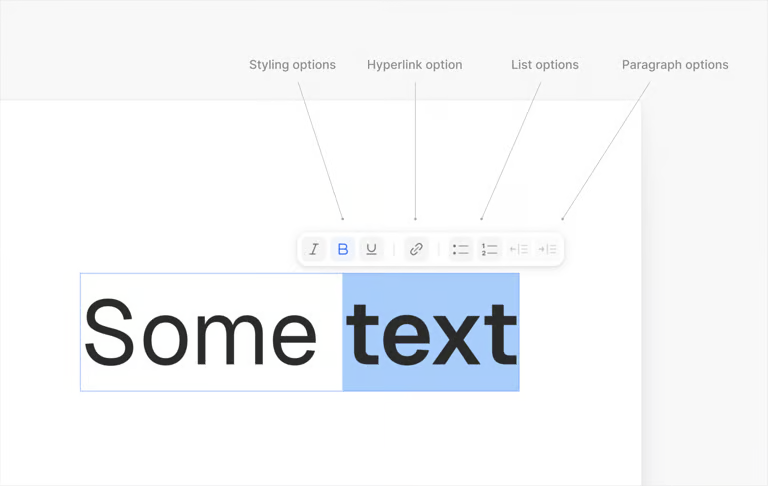
Click the text. Edit the text.
Labels, callouts, and annotations are now editable directly on the canvas, with controls right there. It sounds small. If you document drawings every day, it isn’t.
Look before you export
You can now preview a DWG file before you export. Flip the toggle to compare the original drawing with what will come out of Rayon, and only export when it looks right.

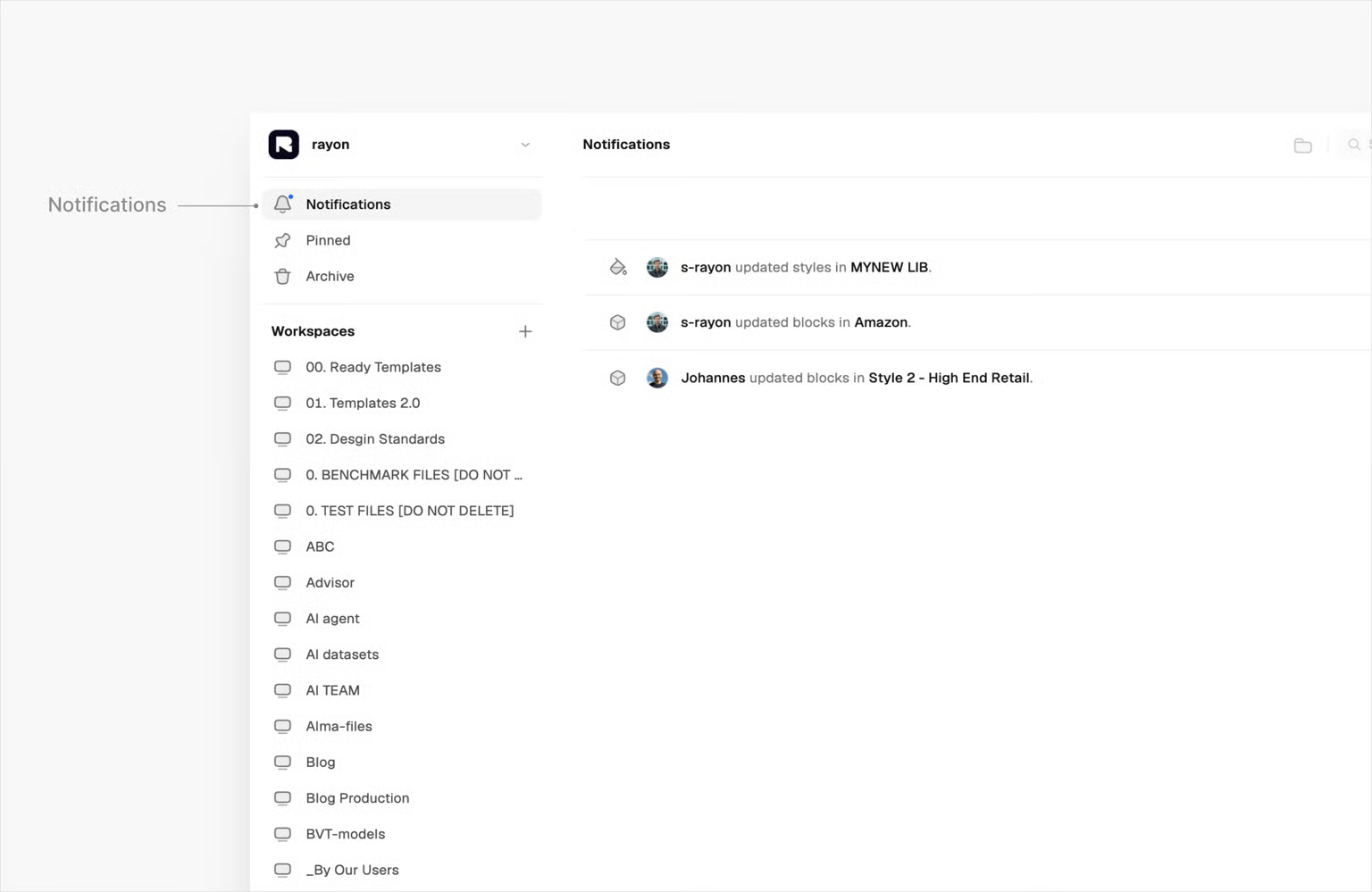
Everything that changed, in one place
File activity is now live in a single notification center. No more panning around the canvas to work out what your team changed while you were away.
Measure curves without leaving Rayon
You can now add diameter and radius dimensions to any curve. If your work depends on those numbers, there's no more working them out in another tool and bringing them back.
Edit images with AI, right on the canvas
Remove the background from a product photo, clean up a reference image, and drop it straight into your layout. AI image editing now lives inside Rayon Design, so you no longer need to round-trip through a separate photo editor to get an image ready.
In the lab
These are early. We’re sharing them because we’d rather build them with you than surprise you with them. None have a release date, and they may change a lot before they ship.
Temporary dimensions
We're prototyping a faster way to check distances as you work. Select an object, hover to see how far it sits from its neighbors, or type a distance to place it exactly.
Wall networks
Stacking floor plans for multi-story buildings can leave gaps where hidden walls interact in ways you didn't intend. We're exploring an opt-in tool that lets you choose which walls connect, so layered plans stay accurate.
Image segmentation
Upload a photo of a room and select the sofa, chair, or rug in it without tracing around it by hand. This one is still in review before development testing begins.
Tell us what bugs you
Most of this release started as someone telling us what slowed them down. If there's a click you're tired of making, we want to hear about it. Reply to this post, sign up for some time with the product team here.